The order-flow DOM big in the CENTER, the chart family (Chart/Footprint/TPO/MTF) left, T&S right, Positions + Orders bottom
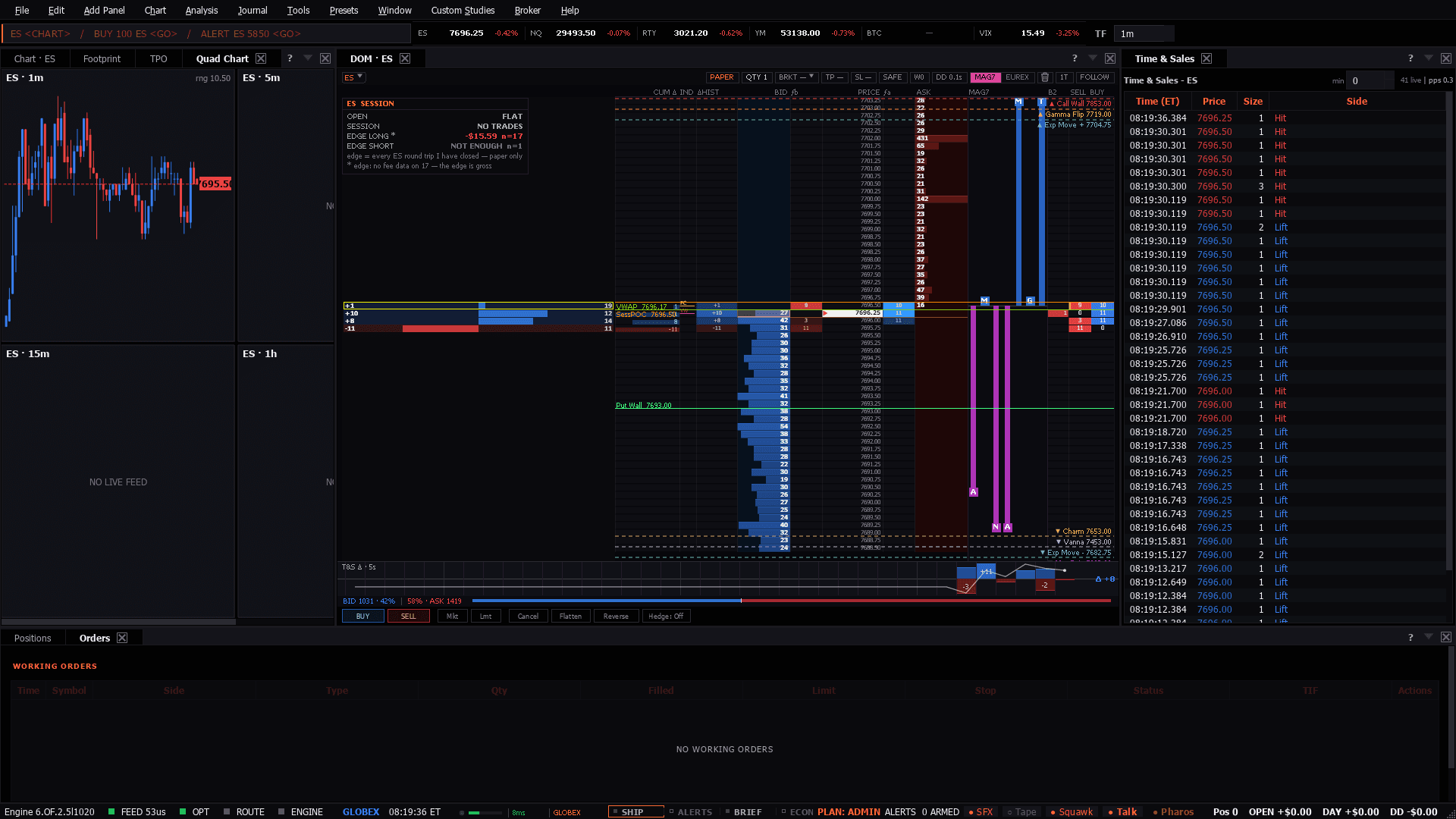
The order-flow DOM big in the CENTER, the chart family (Chart/Footprint/TPO/MTF) left, T&S right, Positions + Orders bottom
Use it when: An active session where you expect to take more than one or two trades and want the whole read without rearranging anything.
The full chart family and the book on the same screen, with the position and orders where you can see them without switching. Built for someone taking several trades a session.
Footprint and TPO are the two that separate this from a chart-plus-ladder setup. TPO says where the day is building value; the footprint says who is doing it.
Same layout, and the quad chart matters more - NQ turns faster, so having 1m through 1h in one tile saves the switch that costs the entry.
Works for crude, and the TPO profile in particular travels well: inventory days build value in a way that is obvious on a profile and invisible on a candle chart.
Presets in the menu bar, under the category this desk belongs to — one click applies the whole layout, and a checkmark tracks which one is active.Ctrl+P, which finds it by name.Add Panel menu.The tell: The tabs on the left are one instrument at four zoom levels, not four opinions. When the footprint and the TPO disagree about where value is, the profile is the slower and usually the more reliable of the two.
8 panels, read straight from the preset definition in the desktop build:
These desks assume the theory. If any of it is unfamiliar, the background reading is on the learn side:
