Features
Dealer-gamma levels draw on the price axis, with the depth ladder and the footprint on that same chart. So when price arrives at a wall you watch the size show up, or fail to. I built it because tabbing between a gamma dashboard and a chart loses the one moment you were waiting for. Native Windows desktop, free to download.
The desk
Every panel is here to answer one of three things. When the three agree you press; when they don't, the useful output is the pass — and the only reason you can name which one disagreed is that all three are on the same screen instead of in three applications.
The signature surfaces
Real captures of the running terminal, on the dates in the filenames. Each one is a native window on your own machine, fast enough to read order-by-order — not a browser tab pretending.
The option chain is re-aggregated through the session and the walls are redrawn on the price axis as it moves, so the level you are leaning on is the current one rather than a number somebody published at 8am.
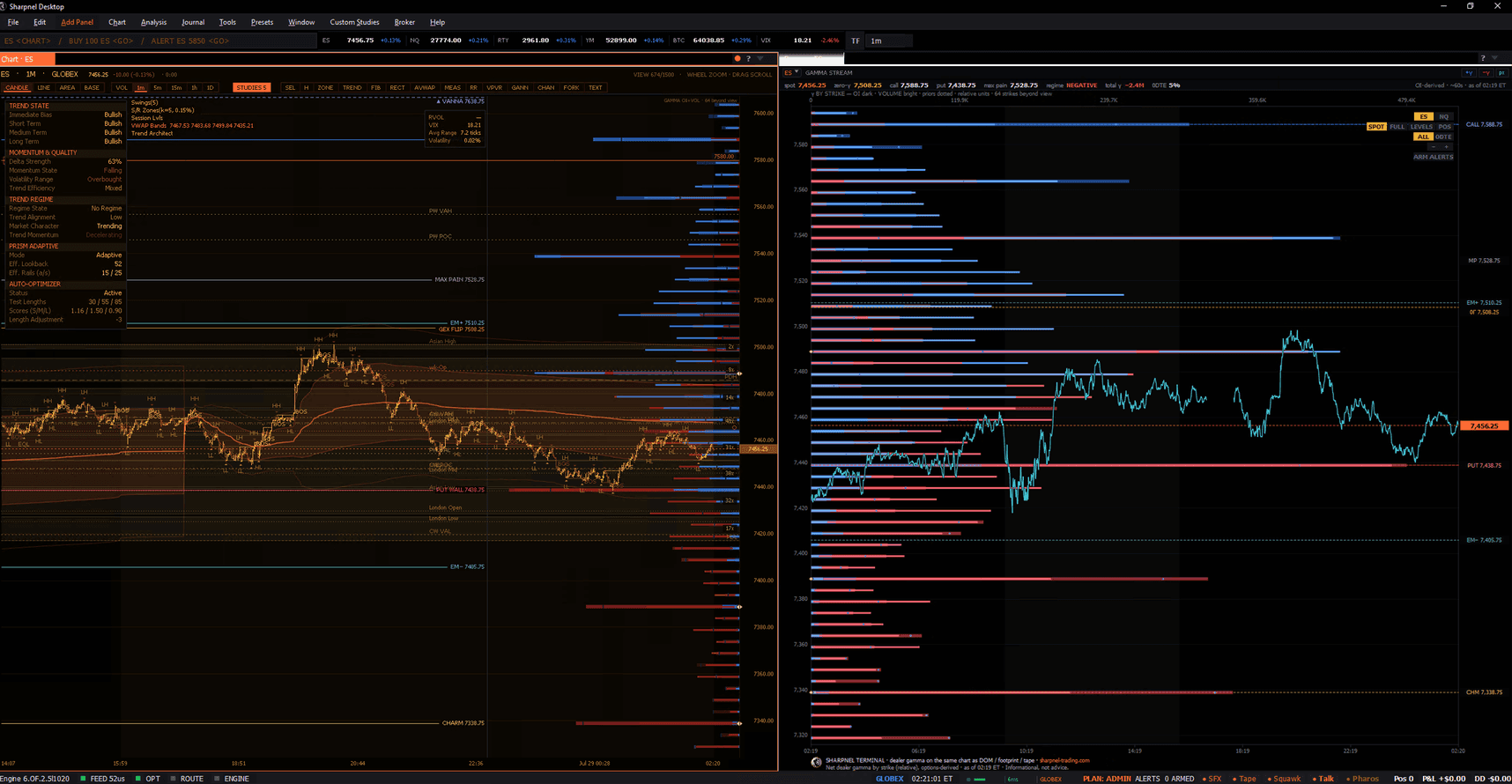
Every depth update is applied to the book in place instead of being sampled into a bar, so you watch size arrive at a price, sit there, and get pulled — the part a candle throws away.
Each print is folded into its bar at the price it happened and split by whether it hit the bid or lifted the offer, so a bar tells you who paid up rather than only where it closed.
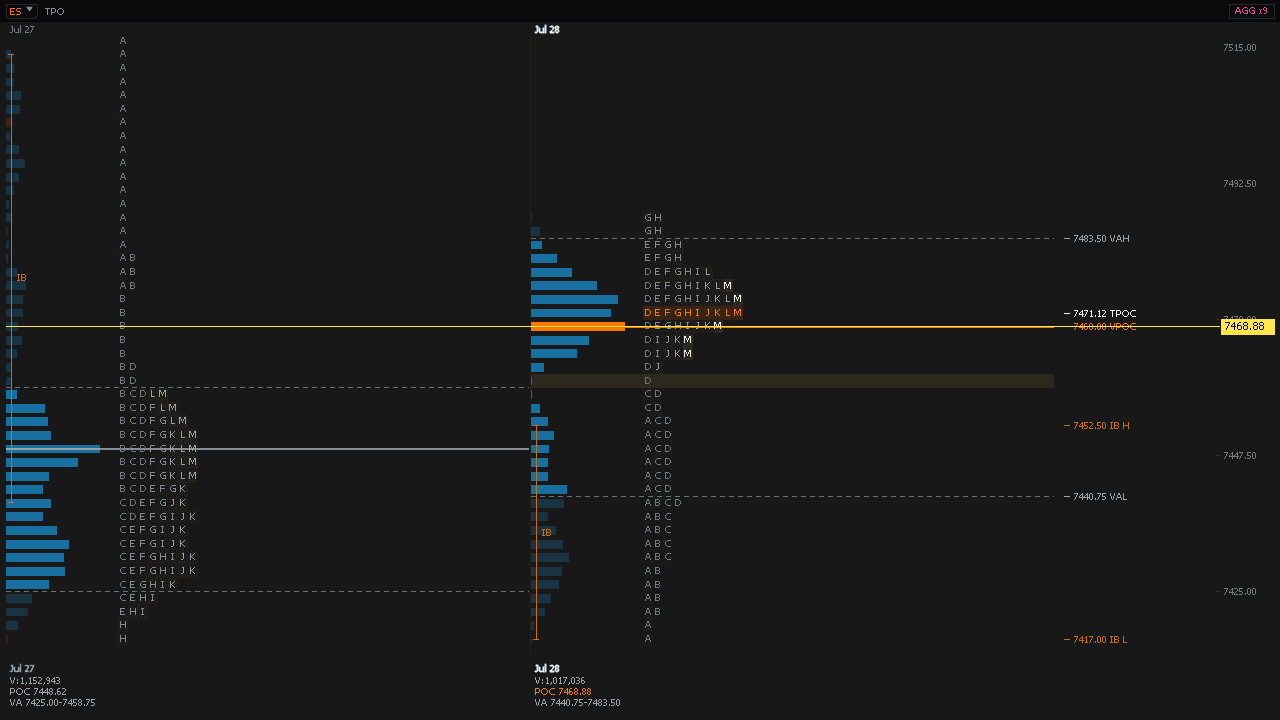
Every thirty-minute period leaves a letter at each price it traded, so the shape that builds is a record of where the auction spent its time — which is a different question from where it went.
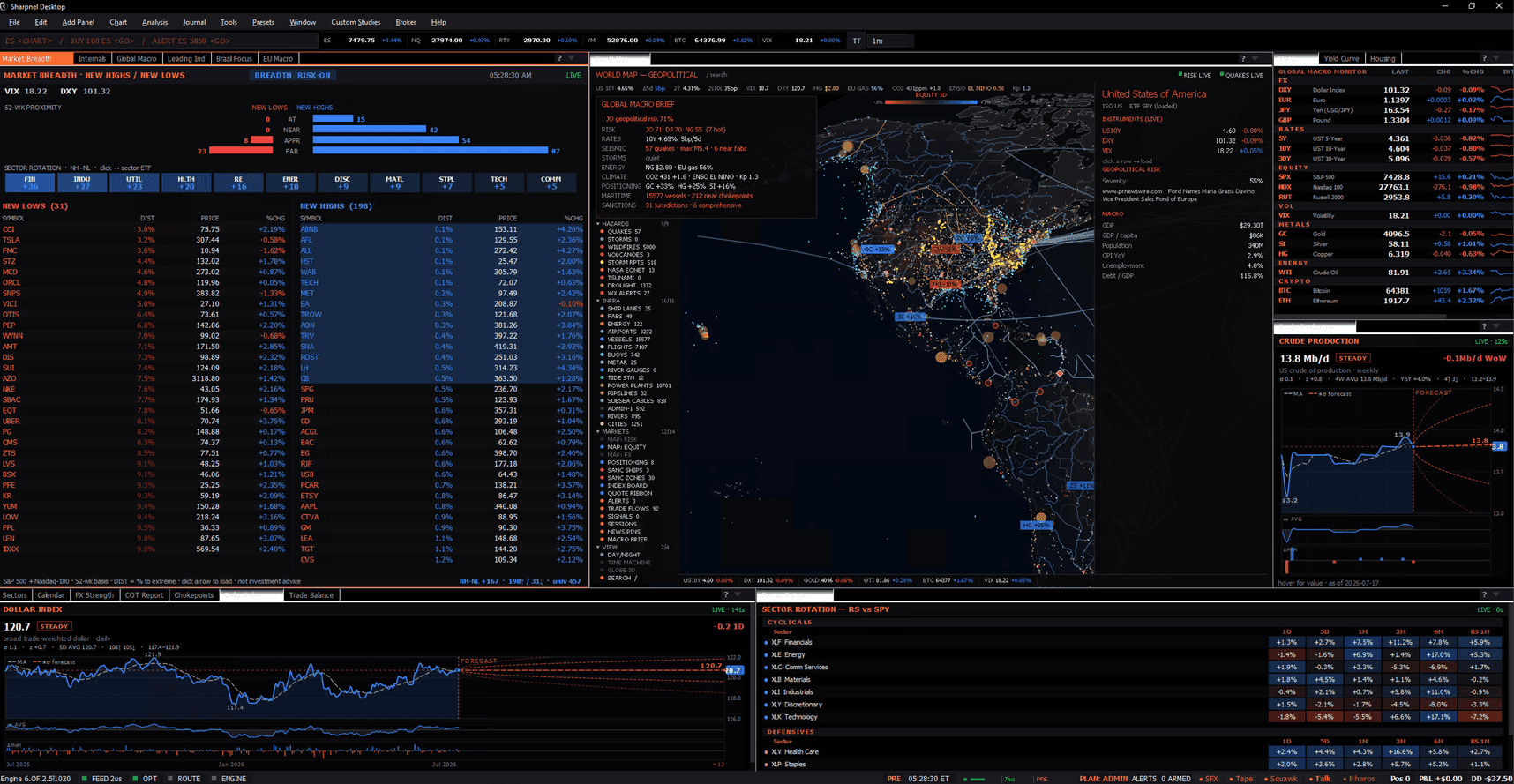
One preset lays the whole board out at once — breadth, rotation, the cross-asset grid, the calendar — and every panel re-points to whatever instrument you point the workspace at.
Train on your own tape
Game Film replays any trade straight from your journal, tick-by-tick at 1x, 2x or 4x, with the depth ladder reconstructed around your fills so you can see the book you actually traded into. Sim Gym goes further: re-trade that same recorded window on a simulated DOM with real order types and brackets, save the window as a drill, and run it as many times as you like. Every attempt is scored separately and journals to a SIM account, so none of it touches your live analytics.
Every screenshot on this page is the running terminal on real market data, captured on the date in its filename — never a mockup and never a test fixture. Game Film + Sim Gym replay the tape you actually traded; simulated results from drills never mix into your live trade analytics.
The progression
Start on Explorer free — 15-min delayed futures, real-time crypto, enough to learn the terminal. Gamma adds the live dealer-gamma engine on its own. Pro is the full order-flow stack. Yearly runs about 25% under monthly on Pro, and two months free on Gamma.
Platform
Dock the panels, save a layout per workflow, then pop any panel out into its own window and drag it to another screen.
Drag, tab, split, maximize. Save a layout per workflow — scalper vs swing vs analyst presets ship built-in.
Pop any panel into its own window across monitors. Symbol / resolution / theme changes broadcast across all windows instantly.
Three app themes — Midnight, Slate, Classic — and four chart presets: Sharpnel, Classic, Monochrome, CRT Phosphor. Or build your own chart theme and every panel adapts with it.
Full multi-panel docking, then pop any panel out into its own native window and drag it across as many monitors as you run — one account, one workspace.
Earnings · IPOs · macro releases — marked on the time axis so you're never blindsided by a scheduled catalyst.
Pre-built scans (top gainers, RSI extremes) plus a compound rule builder (Pro) so you can query the whole universe.
Upstream data licensing is handled on my side, so the analytics on your screen are exchange-compliant out of the box — no data-feed paperwork or redistribution agreements for you to manage.
Sharpnel is a native app — its own icon in the Start menu on Windows, in Applications and the Dock on a Mac, launching straight into the terminal at full native speed. Free to download and signed on both; sign in with any account, including the free tier. Your plan decides which panels open, not the installer.
Sharpnel is software, not a broker. Real-time depth comes with Pro and needs no broker connection — I license the upstream feed and surface computed analytics, so there is no separate data subscription. When you do connect a broker it is your account and your credentials: I never see the login and never custody funds. Today the ticket fires simulated fills; live routing is on the roadmap. Not a broker-dealer, not an investment advisor, not investment advice.
Frequently asked
Billing, refunds and what separates the tiers are all answered on the pricing page.
Full chain with Greeks is live for US equities. Futures symbols (ES, NQ) currently display the equity-ETF proxy chain (SPY, QQQ) until the dedicated futures-options surface ships. Suited for directional context, sizing, and hedge structuring rather than market-making.
A Windows PC or an Apple Silicon Mac. Sharpnel is a native desktop terminal — the signed installer is a free download and the same binary serves every tier, so you can install it and sign in with a free Explorer account before you pay anything. Multi-monitor is built in: pop any panel into its own window and drag it across your displays.
Deep dives
Each tour walks the panel end-to-end — what ships, why it ships, the use cases the desk built it around, and the FAQ answers most prospects ask.
The free tier is a real product, not a countdown: delayed futures, live crypto, no card. Install it, look at it for a week, and upgrade only when you want the real-time depth.
Not installing anything today? I also publish the /ES and /NQ dealer-gamma walls by email before each open and grade them at the close — misses included. That part is free.
