MAX DENSITY around the order-flow DOM: the DOM big in the CENTER, Chart/T&S/Watchlist left, Breadth/Macro/News right, Sector/Yields/Internals bottom
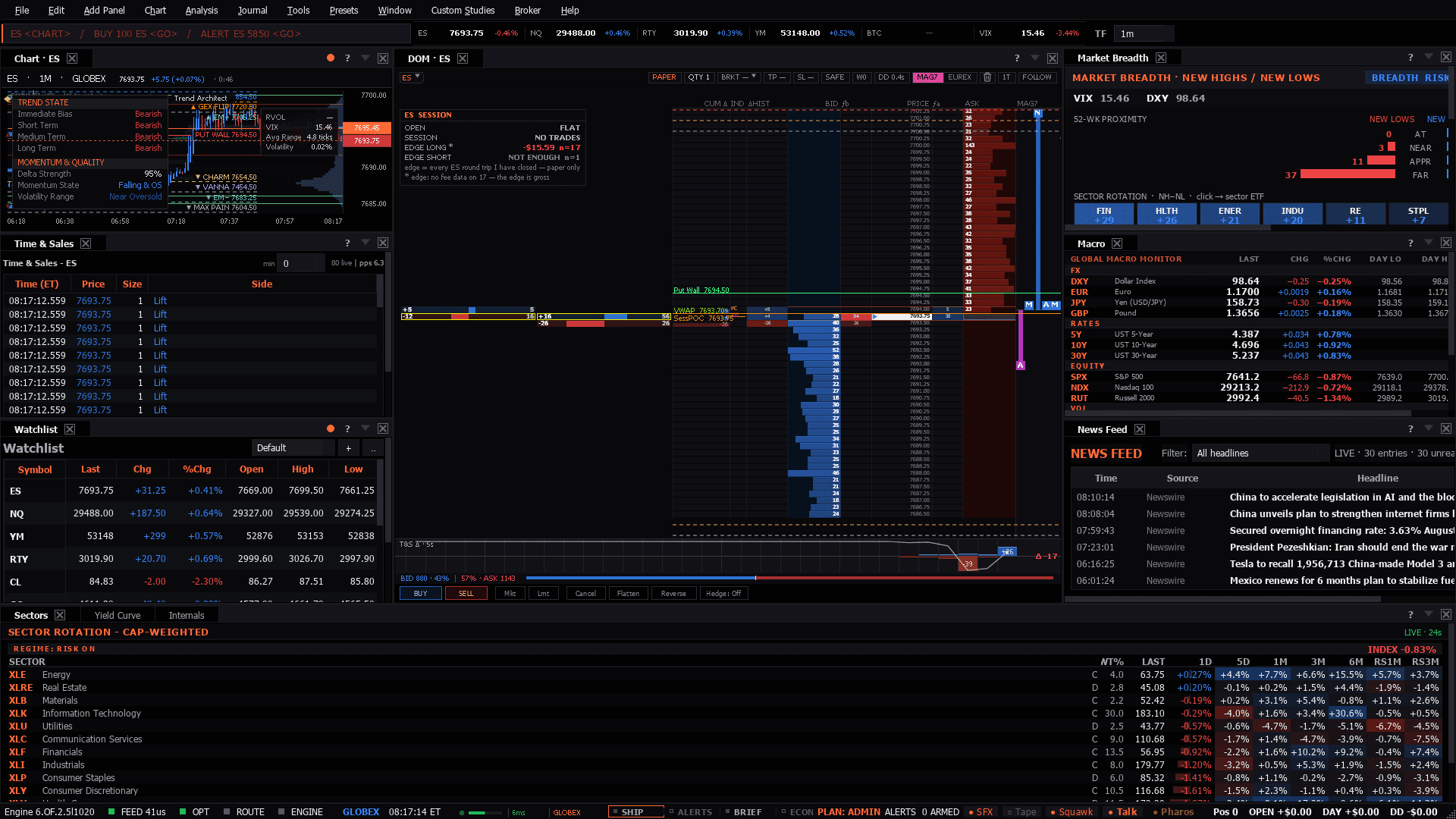
MAX DENSITY around the order-flow DOM: the DOM big in the CENTER, Chart/T&S/Watchlist left, Breadth/Macro/News right, Sector/Yields/Internals bottom
Use it when: A big monitor and a session you want to read completely - or the desk to open when something is happening and you do not yet know what.
Maximum density around the book: order flow in the middle, participation on the right, macro and rates along the bottom. This is the desk for someone who wants everything visible rather than one click away.
Internals and breadth are what this desk adds over a normal trading layout. Advance/decline turning while the index holds is the classic ES divergence, and it is on screen here rather than remembered.
Watch the macro dashboard's 10Y line beside the treemap. NQ is the duration expression of the index, so a rate move that has not reached the equity tape yet usually reaches NQ first.
The macro dashboard carries crude, gold and the dollar, which is the context leg. The trading half of this desk is equity-shaped.
Presets in the menu bar, under the category this desk belongs to — one click applies the whole layout, and a checkmark tracks which one is active.Ctrl+P, which finds it by name.Add Panel menu.The tell: The value of a wall this dense is catching the disagreement early: the index holding while internals roll over, or yields moving before the equity tape reacts. If everything on the screen is saying the same thing, you did not need the wall.
10 panels, read straight from the preset definition in the desktop build:
