The post-session review board: the Journal Board (blotter + analytics + Report Card export) as the hero, the Playbook Tree over the Trade Plan on the LEFT — what the trade was supposed to be — and the chart over the Commander Profile process metrics on the RIGHT. Click a blotter row's SHOW ON CHART to jump the chart to that trade's fills; REPLAY on the row opens that trade's Game Film over the desk
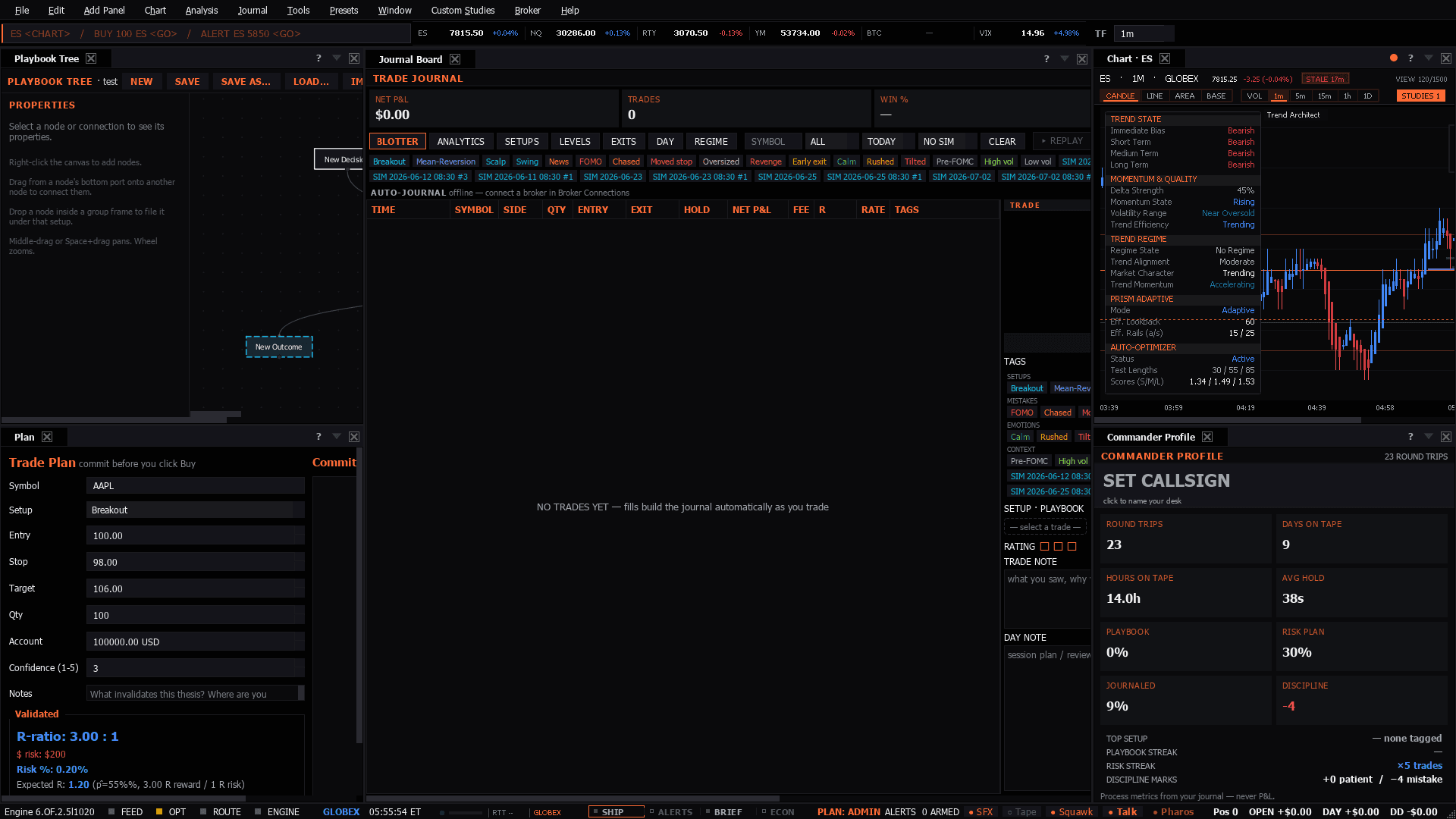
The post-session review board: the Journal Board (blotter + analytics + Report Card export) as the hero, the Playbook Tree over the Trade Plan on the LEFT — what the trade was supposed to be — and the chart over the Commander Profile process metrics on the RIGHT. Click a blotter row's SHOW ON CHART to jump the chart to that trade's fills; REPLAY on the row opens that trade's Game Film over the desk
Use it when: After the close. This is not a trading board — it is the one that decides whether tomorrow is different.
Presets in the menu bar, under the category this desk belongs to — one click applies the whole layout, and a checkmark tracks which one is active.Ctrl+P, which finds it by name.Add Panel menu.The tell: The comparison that matters is plan versus execution, not win versus loss. A winning trade that broke the plan is the more dangerous of the two.
5 panels, read straight from the preset definition in the desktop build:
