What the terminal opens on: the order-flow DOM (footprint + liquidity heatmap built in) big in the CENTER; the Chart over the policy stream (central-bank speeches + regulatory wire tabbed) on the LEFT; and Correlated Markets — the traded symbol's complex (XLK/QQQ on an NQ day) plus all eleven S&P sectors sorted by day move, live quotes + relative strength + real 1m-return correlation — over the watchlist over the Gamma Stream ladder on the RIGHT, with Bank Stress tabbed behind it. Preferences ▸ General changes it, or turns it off and restores your own last layout instead.
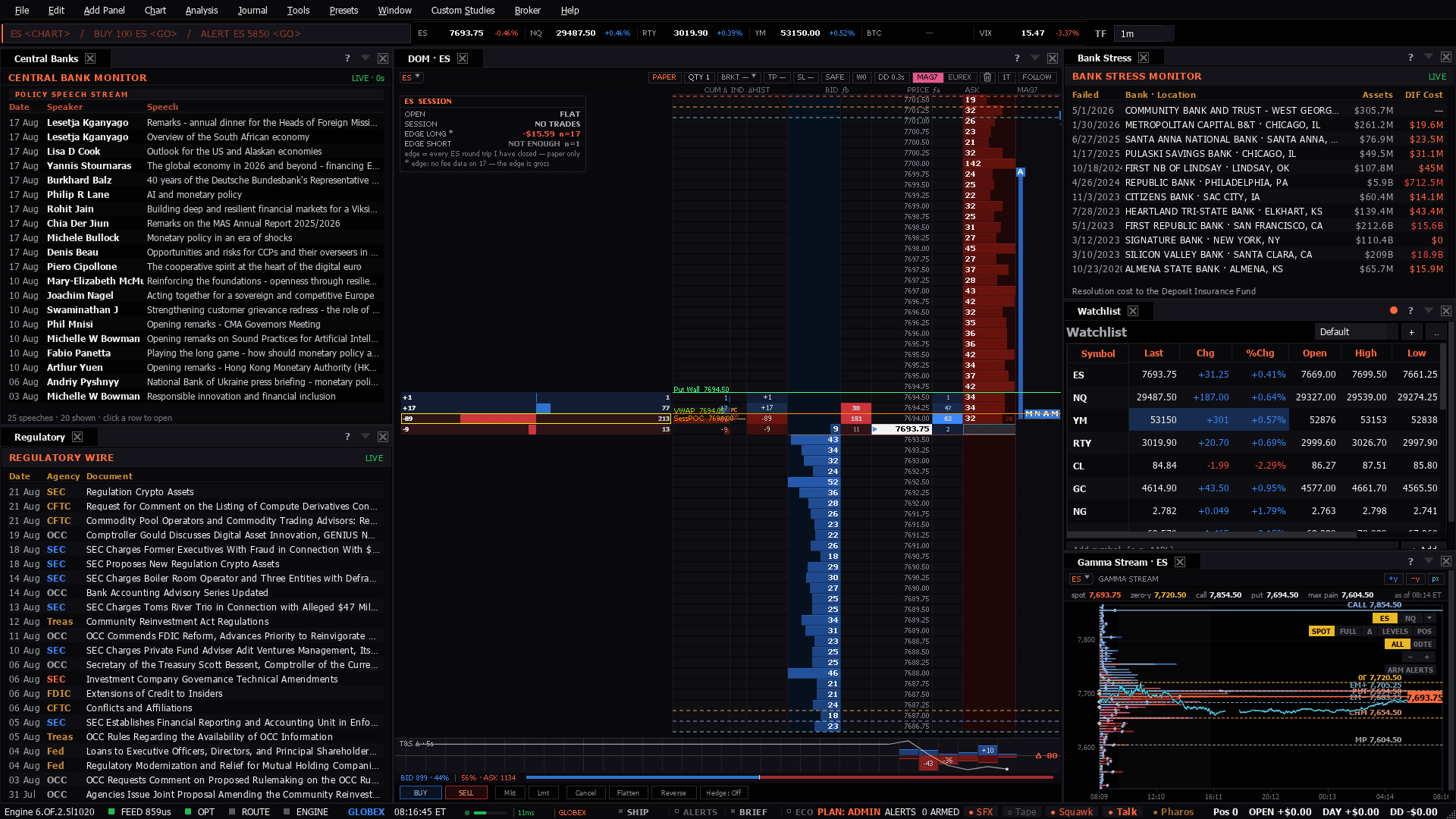
What the terminal opens on: the order-flow DOM (footprint + liquidity heatmap built in) big in the CENTER; the Chart over the policy stream (central-bank speeches + regulatory wire tabbed) on the LEFT; and Correlated Markets — the traded symbol's complex (XLK/QQQ on an NQ day) plus all eleven S&P sectors sorted by day move, live quotes + relative strength + real 1m-return correlation — over the watchlist over the Gamma Stream ladder on the RIGHT, with Bank Stress tabbed behind it. Preferences ▸ General changes it, or turns it off and restores your own last layout instead.
Use it when: Every launch. It is what the terminal opens on unless you change it in Preferences ▸ General, and it is meant to be read in the first two minutes of sitting down.
This is the desk I open on, so it is built around the two things that decide an ES or NQ trade before the bell: what is resting in the book, and where dealer gamma pins or releases price.
The ladder and the Gamma Stream are both on ES out of the box. Walls from the gamma ladder give you the levels; the book tells you whether size is actually defending them when price arrives.
Point the ladder at NQ from its header and the desk follows. NQ carries less resting size than ES, so the same wall reads thinner — treat the book as the tiebreaker, not the headline.
Crude has no gamma leg here — the gamma ladder covers the index complex. Use the book and the policy column, and read CL off its own chart.
Presets in the menu bar, under the category this desk belongs to — one click applies the whole layout, and a checkmark tracks which one is active.Ctrl+P, which finds it by name.Add Panel menu.The tell: The read you want is agreement: a gamma wall with real resting size behind it, in a complex that is moving as one. When the wall has no size behind it in the book, it is a level nobody is defending — those are the ones price goes through.
8 panels, read straight from the preset definition in the desktop build:
